Ein nerviges Spiel - Daten-Markup für Google. Wenn Sie verfügbare Informationen aus Ressourcen sammeln, die Ihnen nicht gehören, und es nicht geschafft haben, eine Lösung zur Überwindung dieses Hindernisses zu implementieren, hilft Ihnen der Rat eines unerfahrenen Entwicklers. Ich werde eine der Methoden beschreiben, die auf einem Objektdetektor basiert und mit dem 4x4-Typ gut zurechtkommt, schlechter mit dem 3x3. Unter Verwendung der YOLO-Architektur, Präzision / Leistung Sweet Spot, ist der Ansatz für alle Detektoren gleich. In einem kommerziellen Produkt lohnt es sich, ein "Ensemble" neuronaler Netze zu verwenden, das dem Detektor die Klassifizierung jeder Zelle hinzufügt. Dies erhöht die Gesamtgenauigkeit bei akzeptabler Leistung. Dieses Problem kann auch durch Verstärkungslernen A2C / DQN oder jede moderne Architektur, Transformatoren, generative gegnerische Netzwerke gelöst werden.
Ungefährer Algorithmus
Position der Suchtaste
Simulation der Mausbewegung zu den Koordinaten der Schaltfläche "Ich bin kein Roboter"
Nachahmung des Drückens der Taste "Ich bin kein Roboter"
Empfangen eines Bildes (vom Google Server, intakt gesendet)
Abrufen der Klasse des gesuchten Objekts (von HTML)
Abrufen von Zellkoordinaten (von HTML)
Entscheidung
Zellaktivierung basierend auf Lösung
Drücken Sie Fertig / Weiter / Bestätigen
Prozess
Wenn reCaptcha fortgesetzt wird, wiederholen Sie den Vorgang von 4 bis 10.
Nützliche Werkzeuge in Python
pynput
Selen
numpy
Tensorflow
opencv
scipy
schöne Suppe, kann man mit einem Selen auskommen
Der Code wurde in der Weite meines neuronalen Netzwerks gefunden, was bedeutet, dass ich etwas im Internet gesehen habe und nicht in einem Vakuum lebe
from selenium import webdriver
from selenium.webdriver.firefox.options import Options
from selenium.webdriver.support.ui import WebDriverWait
from selenium.webdriver.support import expected_conditions as EC
from selenium.webdriver.common.action_chains import ActionChains
from selenium.webdriver.common.by import By
from pynput.mouse import Button, Controller
import scipy.interpolate as si
import numpy as np
import cv2
import time
import random
import os
import io
import base64
# B-
def human_like_mouse_move(action, start_element):
points = [[6, 2], [3, 2],[0, 0], [0, 2]];
points = np.array(points)
x = points[:,0]
y = points[:,1]
t = range(len(points))
ipl_t = np.linspace(0.0, len(points) - 1, 100)
x_tup = si.splrep(t, x, k=1)
y_tup = si.splrep(t, y, k=1)
x_list = list(x_tup)
xl = x.tolist()
x_list[1] = xl + [0.0, 0.0, 0.0, 0.0]
y_list = list(y_tup)
yl = y.tolist()
y_list[1] = yl + [0.0, 0.0, 0.0, 0.0]
x_i = si.splev(ipl_t, x_list)
y_i = si.splev(ipl_t, y_list)
startElement = start_element
action.move_to_element(startElement);
action.perform();
c = 5
i = 0
for mouse_x, mouse_y in zip(x_i, y_i):
action.move_by_offset(mouse_x,mouse_y);
action.perform();
print("Move mouse to, %s ,%s" % (mouse_x, mouse_y))
i += 1
if i == c:
break;
# "" selenium
def my_proxy(PROXY_HOST,PROXY_PORT):
fp = webdriver.FirefoxProfile()
fp.set_preference("network.proxy.type", 1)
fp.set_preference("network.proxy.socks",PROXY_HOST)
fp.set_preference("network.proxy.socks_port",int(PROXY_PORT))
fp.update_preferences()
options = Options()
options.headless = True #
return webdriver.Firefox(executable_path="geckodriver/geckodriver", options=options, firefox_profile=fp)
# tor , reCaptcha ,
#
proxy = my_proxy("127.0.0.1", 9050)
proxy.get("https://www.google.com/search?q=apple")
Nach der Anforderung wird aus vielen verständlichen Gründen ein reCaptcha angezeigt.
# reCaptcha iframe's
# iframe №1
proxy.switch_to.frame(proxy.find_elements_by_tag_name("iframe")[0])
# " "
check_box = WebDriverWait(proxy, 10).until(EC.element_to_be_clickable((By.ID ,"recaptcha-anchor")))
time.sleep(2)
# "
action = ActionChains(proxy);
human_like_mouse_move(action, check_box)
check_box.click()
time.sleep(2)

Wir erhalten Informationen zur weiteren Verarbeitung: Link zum Bild, Suchklasse, reCaptcha-Typ.
# iframe №2
proxy.switch_to.default_content()
iframes = proxy.find_elements_by_tag_name("iframe")
proxy.switch_to.frame(iframes[2])
html = proxy.page_source
# , reCaptcha
try:
img_rc = proxy.find_elements_by_xpath('//img[@class="rc-image-tile-33"]')[0]
t_type = 3
except IndexError:
img_rc = proxy.find_elements_by_xpath('//img[@class="rc-image-tile-44"]')[0]
t_type = 4
#
try:
required_class = proxy.find_elements_by_xpath('//div[@class="rc-imageselect-desc-no-canonical"]/strong')[0].text
except IndexError:
required_class = proxy.find_elements_by_xpath('//div[@class="rc-imageselect-desc"]/strong')[0].text
time.sleep(2)

, " ". javascript, XMLHttpRequest, canvas, python base64. base64, numpy array. , https://habr.com/ru/post/449236/
answ = proxy.execute_script('''
var img = new Image();
var cnv = document.createElement('canvas');
cnv.id = 'tutorial';
img.onload = function(){
cnv.height = img.height;
cnv.width = img.width;
console.log(cnv.width, cnv.height, img.width, img.height);
cnv.getContext('2d').drawImage(img, 0, 0);
}
var request = new XMLHttpRequest();
request.open('GET', arguments[0].src);
request.responseType = 'blob';
request.onload = function() {
var reader = new FileReader();
reader.readAsDataURL(request.response);
reader.onload = function(e){
img.src = e.target.result;
};
};
request.send();
var child = document.body.appendChild(cnv);
''', img_rc)
time.sleep(4)
answ = proxy.execute_script('''
cnv = document.getElementById('tutorial');
return cnv.toDataURL('image/jpeg').substring(22);
''')
nparr = np.asarray(bytearray(io.BytesIO(base64.b64decode(answ)).read()), dtype=np.uint8)
img_np = cv2.imdecode(nparr, cv2.IMREAD_COLOR)
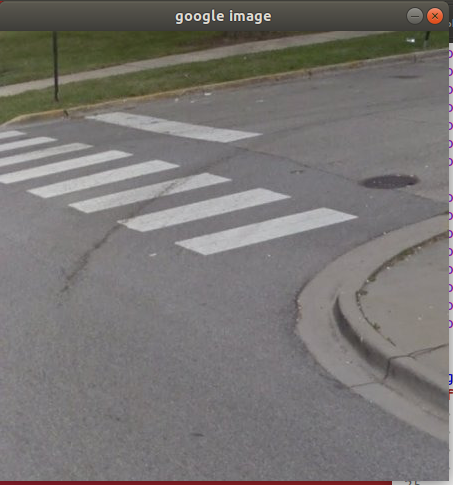
, : " ". YOLO , .
def draw_boxes(image, boxes, scores, labels, classes, detection_size, search_class):
"""
:param boxes, shape of [num, 4]
:param scores, shape of [num, ]
:param labels, shape of [num, ]
:param image,
:param classes, the return list from the function `read_coco_names`
"""
new = np.ones(shape=image.shape, dtype=np.float32)
ans = []
if boxes is None:
return ans, image, new
for i in range(len(labels)): # for each bounding box, do:
bbox, score, label = boxes[i], scores[i], classes[labels[i]]
bbox_text = "%s %.2f" %(label, score)
# convert_to_original_size
detection_size, original_size = np.array(detection_size), np.array(image.shape[1])
ratio = float(original_size) / float(detection_size)
bbox = list((bbox.reshape(2,2) * ratio).reshape(-1))
coord = [abs(int(x)) for x in bbox]
#
o0 = coord[0]
o1 = coord[1]
o2 = coord[2]
o3 = coord[3]
#
if search_class == label.split('\n')[0]:
new[o1:o3, o0:o2, :] = 2
ans.append(classes[labels[i]])
return ans, image, new
#
def imcr(i, col, activation_threshold = 1):
answ = []
im_w, im_h, im_c = i.shape
w, h = im_w//col, im_h//col
sZero = i[0:w, 0:h,:].size
num = 0
for wi in range(0, col):
for hi in range(0, col):
num += 1
P_R = (np.sum(i[wi*w:(wi+1)*w, hi*h:(hi+1)*h, :]) / sZero) * 100
P_R = P_R - 100
if activation_threshold < int(P_R):
answ.append(num)
else:
pass
return answ
def ocr(img_np, required_class, t_type):
# img_np -> YOLO -> B,C
#
boxes, scores, labels = cpu_nms(B, C, len(classes), max_boxes=1000, score_thresh=0.4, iou_thresh=0.5)
#
result, img, z_image = draw_boxes(img_np, boxes, scores, labels, classes, yolo_image_shape, required_class)
#
answ = imcr(np.array(z_image), t_type)
, imcr(image_array, type_captcha, activation_threshold) - ,
:
image_array -
type_captcha - , 4 (4x4)
activation_threshold - , 1%
:
, , .
answ_ocr = ocr(img_np, required_class, t_type)
ids = proxy.find_elements_by_xpath('//td[@class="rc-imageselect-tile"]')
for i in answ_ocr:
ids[i].click()
#
confirm_btn = WebDriverWait(proxy, 4).until(EC.element_to_be_clickable((By.XPATH ,'//button[@id="recaptcha-verify-button"]'))) #
action = ActionChains(proxy);
human_like_mouse_move(action, confirm_btn) #
confirm_btn.click() #
Dies ist kein detailliertes Tutorial, sondern Tipps mit Codefragmenten. Wenn wir den vorgeschlagenen Ansatz mit anderen Algorithmen anwenden, beträgt die Genauigkeit 93% und mehr. Mit einem Detektor besteht Ihre Hauptaufgabe darin, die Genauigkeit des Detektors (YOLO, RCNN, SSD) zu verbessern. Eine der Bedingungen für eine erfolgreiche Umgehung von Google Captcha ist die Verwendung von "sauberen Proxys". Ich bin nicht besonders gut darin, meine Gedanken in Text umzuwandeln. Ich hoffe, der Versuch ist erfolgreich, und mein Artikel wird in dieser Ressource erscheinen.