Jedes Jahr wird Werbung im Internet immer mehr und jedes Mal, wenn sie mehr und mehr aufdringlich geschaltet wird. Die Mail wurde bereits erreicht: Werbung in der Mailbox-Oberfläche sieht aus wie der erste ungelesene Brief, den Sie automatisch öffnen möchten. Ich bin nicht gegen Werbung, besonders wenn es um Themen geht und nicht verwirrend. Aber es als ungelesenen Brief zu tarnen, ist übertrieben. Es scheint, als ob der nächste Schritt darin besteht, Anzeigen direkt in den Text der E-Mail einzufügen.
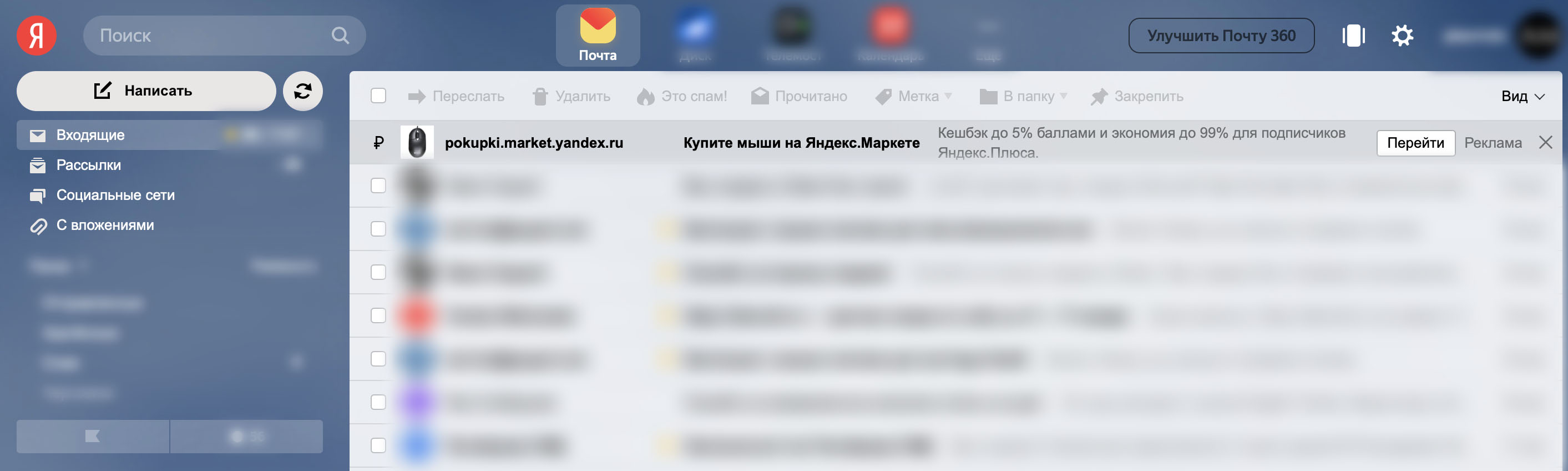
Wir sind bereits daran gewöhnt, dass unsere Aktivitäten im Internet analysiert werden, um relevante Anzeigen zu schalten. Aber es gibt keine persönlichen Daten in ihrer reinen Form: Es gibt Benutzer-1 mit solchen und solchen Gewohnheiten, es gibt Benutzer-2 mit anderen Gewohnheiten, Benutzer-3, 4, 5 usw.
Mail ist eine ganz andere Sache. Mail-Verarbeitung ist oft die Verarbeitung personenbezogener Daten. Alles, was Sie kaufen - Quittungen kommen auf Ihre Post, welche Dienste Sie nutzen - Registrierungsdaten und Berichte kommen auf Ihre Post, gekaufte Urlaubstickets - alle Daten über Ihre Reise sind in Ihrer Post. Und wo ist deine Post?
Es gibt keine Garantie dafür, dass E-Mails nicht verarbeitet werden und dass kein Missbrauch vorliegt. Wenn Sie also unruhig und paranoid sind, ist es höchste Zeit, dass Sie die "kostenlose" Post aufgeben.
Aber aufzugeben ist nicht so einfach:
, .
, .
- protonmail’e, , .
‒ . , , . ‒ .
, , 24/7. - Raspberry Pi, .. , . VMWare ESXi, . , . , HDD, .. / SSD . swap. : SSD, HDD. HP ProDesk 600 G2 SFF i5-6500: , ESXi . 25 , 40-45 . .
ESXi , IP, .
, ,
, , . , . , : (, ) ( LTE ). , . - LTE Huawei E3372-320. , , .
, IP , IP. : (VPS) , VPN-, VPS. , ( ) : IP , ‒ . :
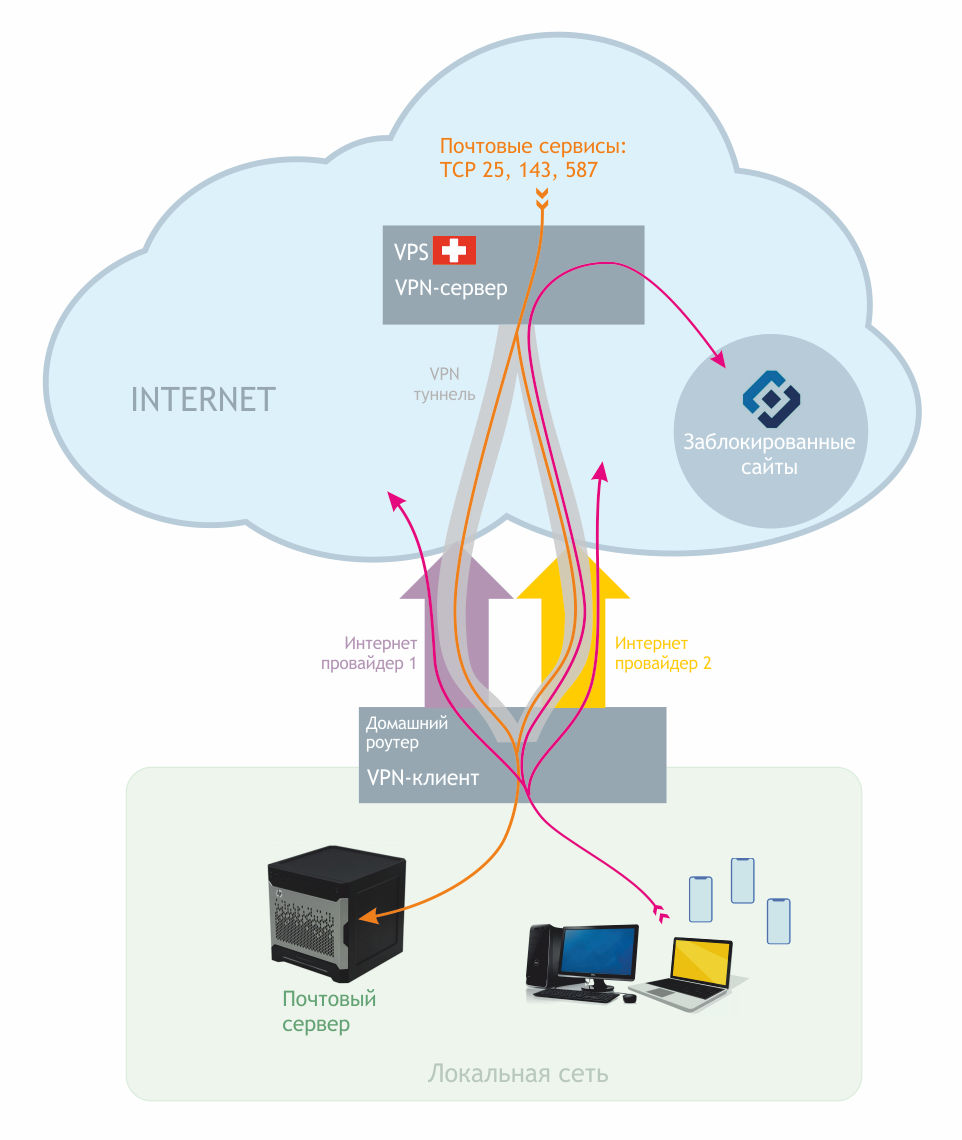
, . . .
, :
Hostname ( ) ‒ mail
‒ example.com
IP VPS ‒ 1.2.3.4
192.168.1.0 /24 (255.255.255.0) 192.168.1.1
IP ‒ 192.168.1.3
VPN IP VPN 192.168.77.1, IP VPN 192.168.77.3
VPS, VPN
VPS , vps2day.com, , , , . VPN VPS , 5 €/. protonmail’e, vps2day, VPS. Debian 10, IP SSH .
, :
apt update && apt upgrade
VPN Wireguard, Debian 10 apt:
echo 'deb http://deb.debian.org/debian buster-backports main contrib non-free' > /etc/apt/sources.list.d/buster-backports.list
apt update
apt install wireguard
( ), , :
mkdir /etc/wireguard
chmod 700 /etc/wireguard
cd /etc/wireguard
wg genkey | tee privatekey | wg pubkey > publickey
: privatekey
publickey
. /etc/wireguard/wg0.conf
:
[Interface] PrivateKey = privatekey Address = 192.168.77.1/24 ListenPort = 51820 MTU = 1380
, .
, DNS
.RU , ... . protonmail'a. , example.com.
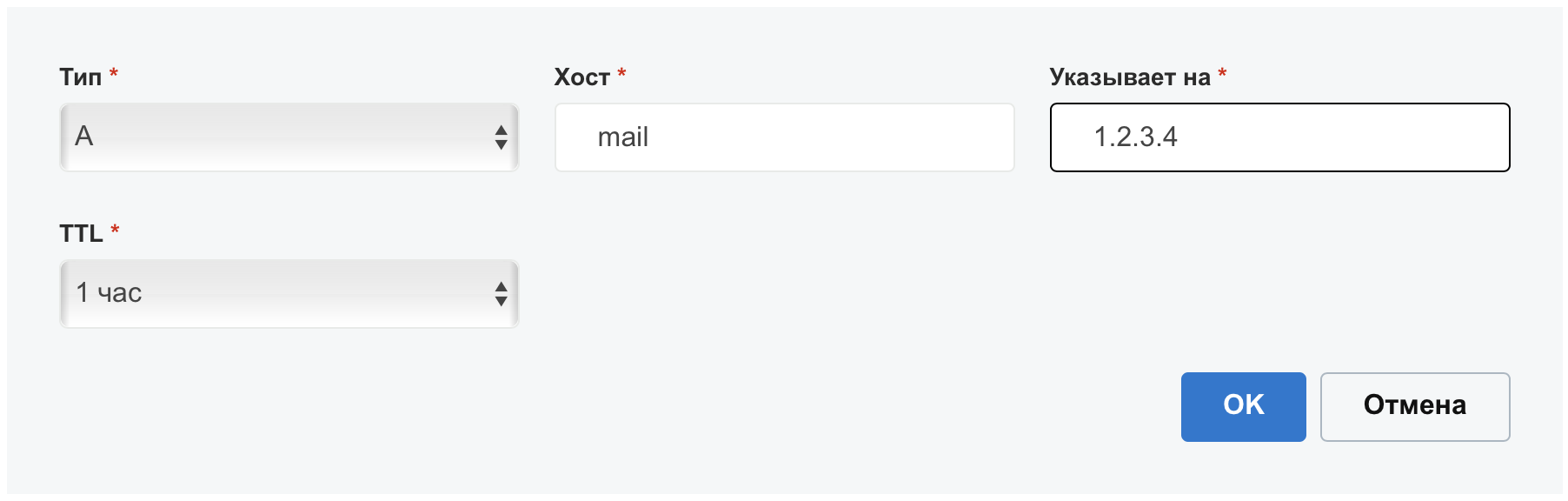
DNS "" mail IP , VPS:
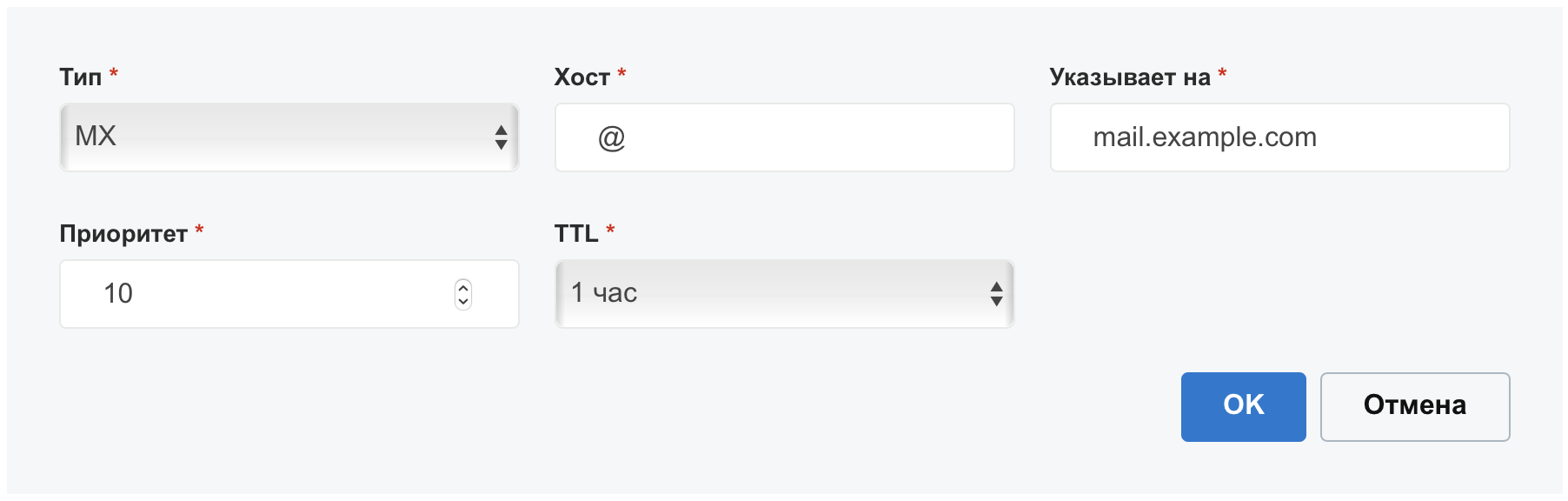
"MX" 10 mail.example.com:
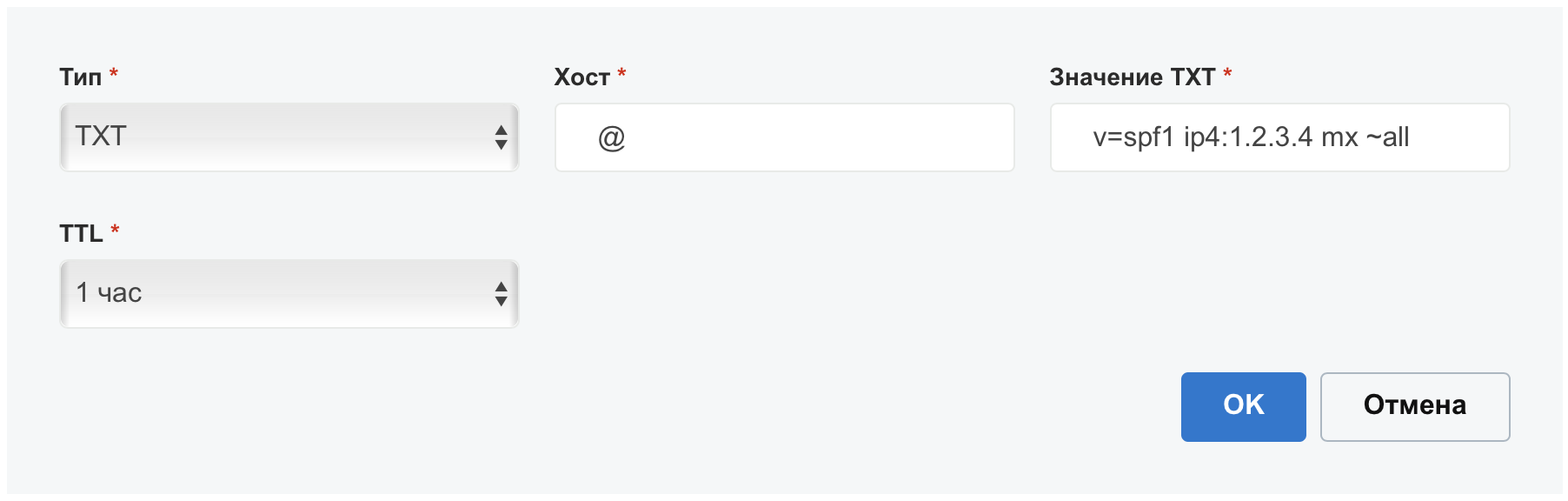
"TXT" SPF v=spf1 ip4:1.2.3.4 mx ~all
:
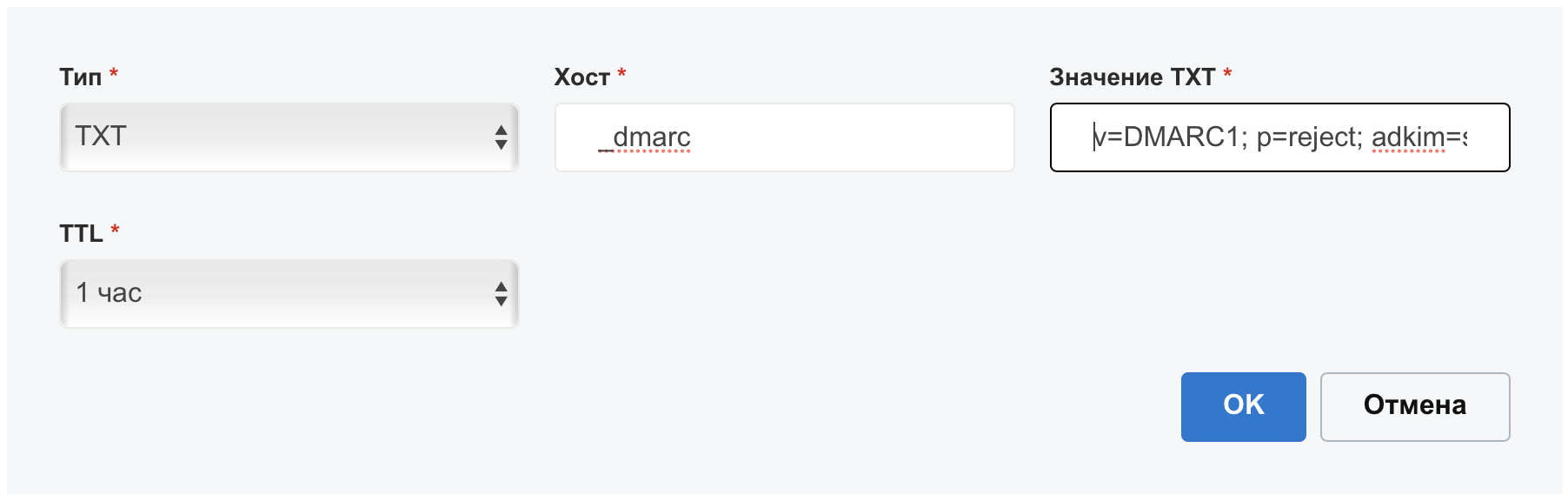
"TXT" DMARC v=DMARC1; p=reject; adkim=s; aspf=s; pct=100;
:
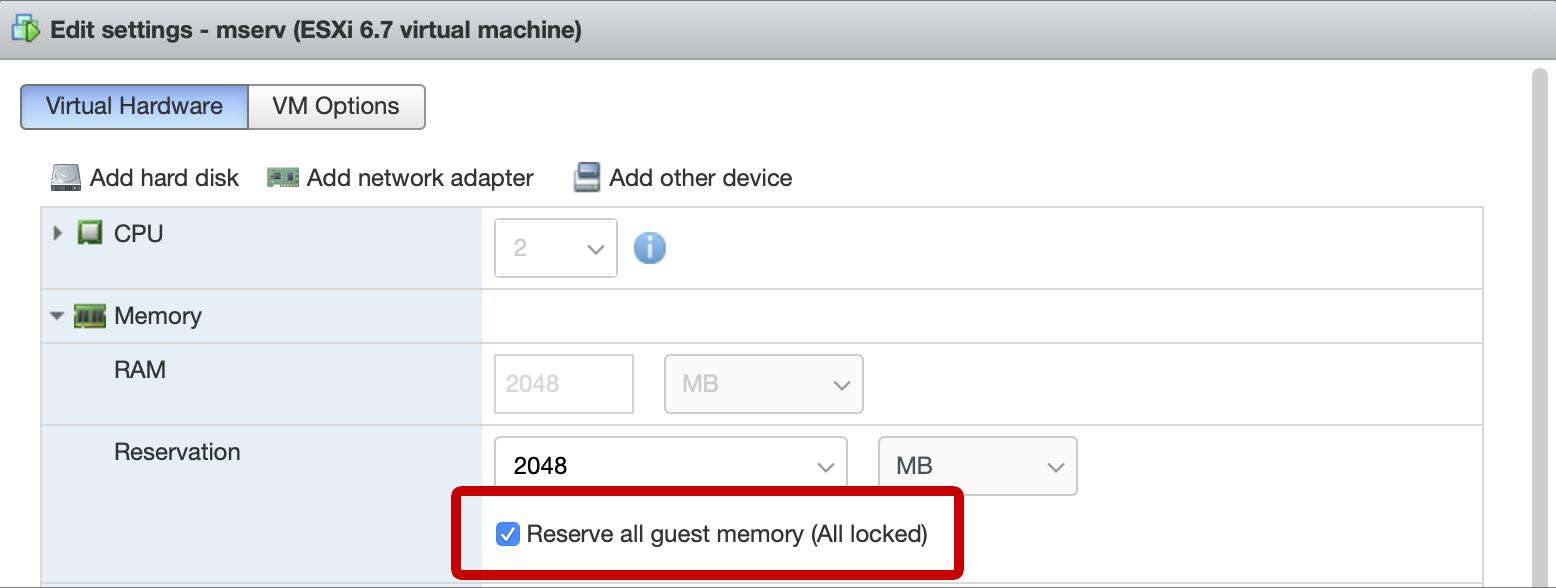
ESXi (). , . swap , . , , swap , . , , swap .
, , datastore SSD. Debian 10, . mail, example.com. . /boot :

. deluser <username> --remove-home
.
, . /etc/network/interfaces
. , , ens192
. :
allow-hotplug ens192 iface ens192 inet static address 192.168.1.3/24 gateway 192.168.1.1
, VPN VPS . DNS . /etc/resolv.conf
, :
nameserver 1.1.1.1 nameserver 1.0.0.1
IPv6 , /etc/sysctl.conf
. , ens192
:
net.ipv6.conf.all.disable_ipv6 = 1 net.ipv6.conf.default.disable_ipv6 = 1 net.ipv6.conf.lo.disable_ipv6 = 1 net.ipv6.conf.ens192.disable_ipv6 = 1
ssh wget:
apt install ssh wget
root SSH, /etc/ssh/sshd_config
PermitRootLogin yes
. ssh.
VPN
wireguard VPS :
echo 'deb http://deb.debian.org/debian buster-backports main contrib non-free' > /etc/apt/sources.list.d/buster-backports.list
apt update
apt install wireguard
mkdir /etc/wireguard
chmod 700 /etc/wireguard
cd /etc/wireguard
wg genkey | tee privatekey | wg pubkey > publickey
/etc/wireguard/wg0.conf
:
[Interface] PrivateKey = privatekey Address = 192.168.77.3/32 MTU = 1380 [Peer] PublicKey = publickey VPS AllowedIPs = 0.0.0.0/0 Endpoint = 1.2.3.4:51820 PersistentKeepalive = 20
SSH VPS /etc/wireguard/wg0.conf
:
# mail server [Peer] PublicKey = publickey AllowedIPs = 192.168.77.3/32
VPS /etc/sysctl.conf
net.ipv4.ip_forward = 1
, , , sysctl -w net.ipv4.ip_forward = 1
.
VPS , . /etc/network/if-up.d/firewall
, .
/etc/network/if-up.d/firewall
#! /bin/sh
EXT_IP="1.2.3.4"
iptables -F
iptables -X
iptables -t nat -F
iptables -t nat -X
iptables -t mangle -F
iptables -t mangle -X
iptables -P INPUT DROP
iptables -P FORWARD DROP
iptables -P OUTPUT ACCEPT
iptables -A INPUT -i lo -j ACCEPT
#
iptables -A INPUT -p icmp --icmp-type echo-request -j ACCEPT --match limit --limit 5/second
iptables -A INPUT -p icmp --icmp-type echo-reply -j ACCEPT --match limit --limit 5/second
# SSH
iptables -A INPUT -d $EXT_IP -p tcp --dport 22 -j ACCEPT
iptables -A INPUT -d 192.168.77.1 -p tcp --dport 22 -j ACCEPT
# Established connections
iptables -A INPUT -p tcp -m state --state ESTABLISHED,RELATED -j ACCEPT
# DNS
iptables -A INPUT -i eth0 -p udp -d $EXT_IP --sport 53 -j ACCEPT
# Wireguard
iptables -A INPUT -i eth0 -d $EXT_IP -p udp --dport 51820 -j ACCEPT
iptables -A FORWARD -i wg0 -j ACCEPT
iptables -A FORWARD -o wg0 -j ACCEPT
iptables -A FORWARD -p tcp --tcp-flags SYN,RST SYN -j TCPMSS --clamp-mss-to-pmtu
# VPS
iptables -t nat -A POSTROUTING -s 192.168.77.3 -j SNAT --to-source $EXT_IP
#
iptables -t nat -A PREROUTING -d $EXT_IP -p tcp --dport 80 -j DNAT --to-destination 192.168.77.3
iptables -t nat -A PREROUTING -d $EXT_IP -p tcp --dport 443 -j DNAT --to-destination 192.168.77.3
iptables -t nat -A PREROUTING -d $EXT_IP -p tcp --dport 25 -j DNAT --to-destination 192.168.77.3
iptables -t nat -A PREROUTING -d $EXT_IP -p tcp --dport 587 -j DNAT --to-destination 192.168.77.3
iptables -t nat -A PREROUTING -d $EXT_IP -p tcp --dport 143 -j DNAT --to-destination 192.168.77.3
iptables -t nat -A PREROUTING -d $EXT_IP -p tcp --dport 993 -j DNAT --to-destination 192.168.77.3
chmod +x /etc/network/if-up.d/firewall
VPS wireguard:
systemctl enable wg-quick@wg0
systemctl start wg-quick@wg0
wireguard :
systemctl enable wg-quick@wg0
systemctl start wg-quick@wg0
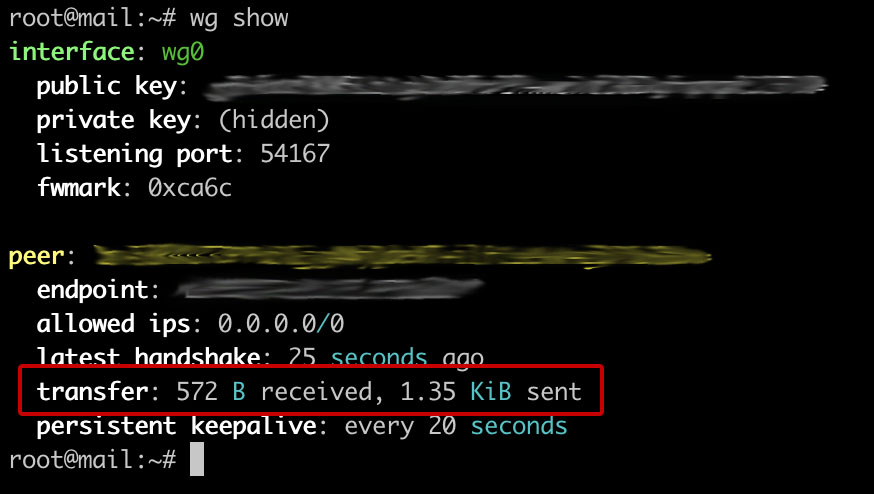
wg show
. - , :
Debian: e-mail caramel ispmail. , . Apache, PostgreSQL, Postfix, Dovecot, rspamd, sieve, SSL DKIM, . , .
"e-mail caramel" IMAP STARTTLS Nextcloud' webmail. - User-Agent Received. .
Nextcloud, Rainloop
-: X-Mailer, X-Originating-IP, X-PHP-Originating-Script, Mime-Version. master.cf, main.cf
, apache, , . SSL DKIM, .
. , .
:
wget https://github.com/alexmdv/mailserver-autosetup/archive/main.zip
unzip main.zip
chmod +x -R ./mailserver-autosetup-main
cd ./mailserver-autosetup-main
3 :
mailserver-setup.sh
-
mailuser-addnew.sh
-
mailuser-setpass.sh
-
mailserver-setup.sh
. : ( mail), , (, example.com), IP . + mail.example.com. , .. SSL DKIM. . mailuser-addnew.sh
mailuser-setpass.sh
PASSWORD, :
#!/bin/bash
pgadmpass="PASSWORD"
,
SSL . example.com :
certbot certonly --apache --agree-tos --email admin@example.com --no-eff-email --domain mail.example.com
DKIM. example.com ‒ , 20210121 ():
rspamadm dkim_keygen -b 2048 -d example.com -s 20210121 -k /var/lib/rspamd/dkim/example.com.20210121.key
:
20210121._domainkey IN TXT ( "v=DKIM1; k=rsa; " "p=MIIBIjANBgkqhkiG9w0BAQEFAAOCAQ8AMIIBCgKCAQEAumOhUcY3anZV4tGF1+VsYDD9bTZ0rqiFCm8FPdDHVB0U+ZPfZ2Cxf+x+jIFYXfO/jWEoAw2uYFz3Mt1ImvRQzU9oMx0t/0HtMKS4m3AhOBM5SkkhvoAaJkoIt3gTQ4KQyiBsZemihAw6V/gsex8K6M76m4WkbT92+tg192EGXBUDo0k7kk1rDOld0G9X2P0IxkVfqKqfwg+fI+0Im" "AOFC1gBCIm18XPEGZA2oOoNbkWO95bD8Rj20yv8639bMA27+B08v4/aPXQb9HZLEwpsz8Qa/WgEZFGJzd6kUaYWHTfMmbgBXnET5N+tjXGvkjtnLbx25ru/PZTeckGjE/komQIDAQAB" ) ;
/etc/rspamd/dkim_selectors.map
, :
example.com 20210121
DNS , "TXT" 20210121._domainkey
v=DKIM1; k=rsa; p=...
, . :
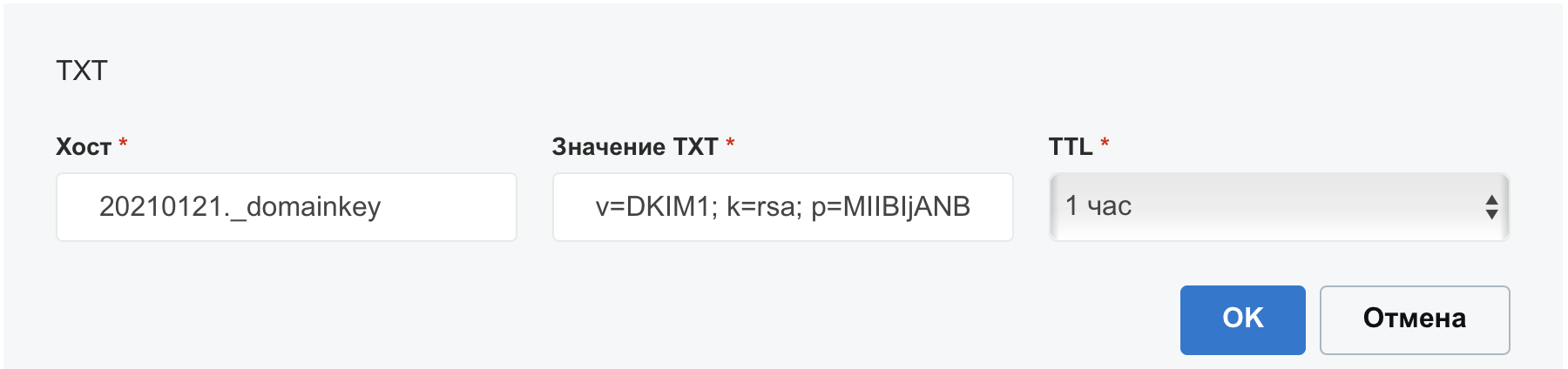
. 255 , .. 2048 DKIM , , p
, . , , . GoDaddy, , TXT 1024 . 255 , . 1024 .
‒ /etc/postfix/master.cf
. :
#submission inet n - - - - smtpd
4 , "-o". . , . master.cf. :
submission inet n - - - - smtpd -o syslog_name=postfix/submission -o smtpd_tls_security_level=encrypt -o smtpd_client_restrictions=permit_sasl_authenticated,reject -o cleanup_service_name=header_cleanup
.
. mailuser-addnew.sh. ( @example.com) . .
oleg@example.com. : oleg@example.com, IMAP SMTP oleg@example.com, IMAP mail.example.com, mail.example.com, STARTTLS.
DKIM SPF, https://dkimvalidator.com, . pass ().
Rainloop webmail
php Rainloop . , , , vhost -:
wget http://www.rainloop.net/repository/webmail/rainloop-community-latest.zip
unzip rainloop-community-latest.zip -d /var/www/webmail
cd /var/www/webmail
chmod 644 .
find . -type d -exec chmod 755 {} \;
find . -type f -exec chmod 644 {} \;
chown -R www-data:www-data .
a2ensite webmail
service apache2 reload
rainloop https://mail.example.com/?admin
admin
12345
. , Security.
. Domains, Add Domain:
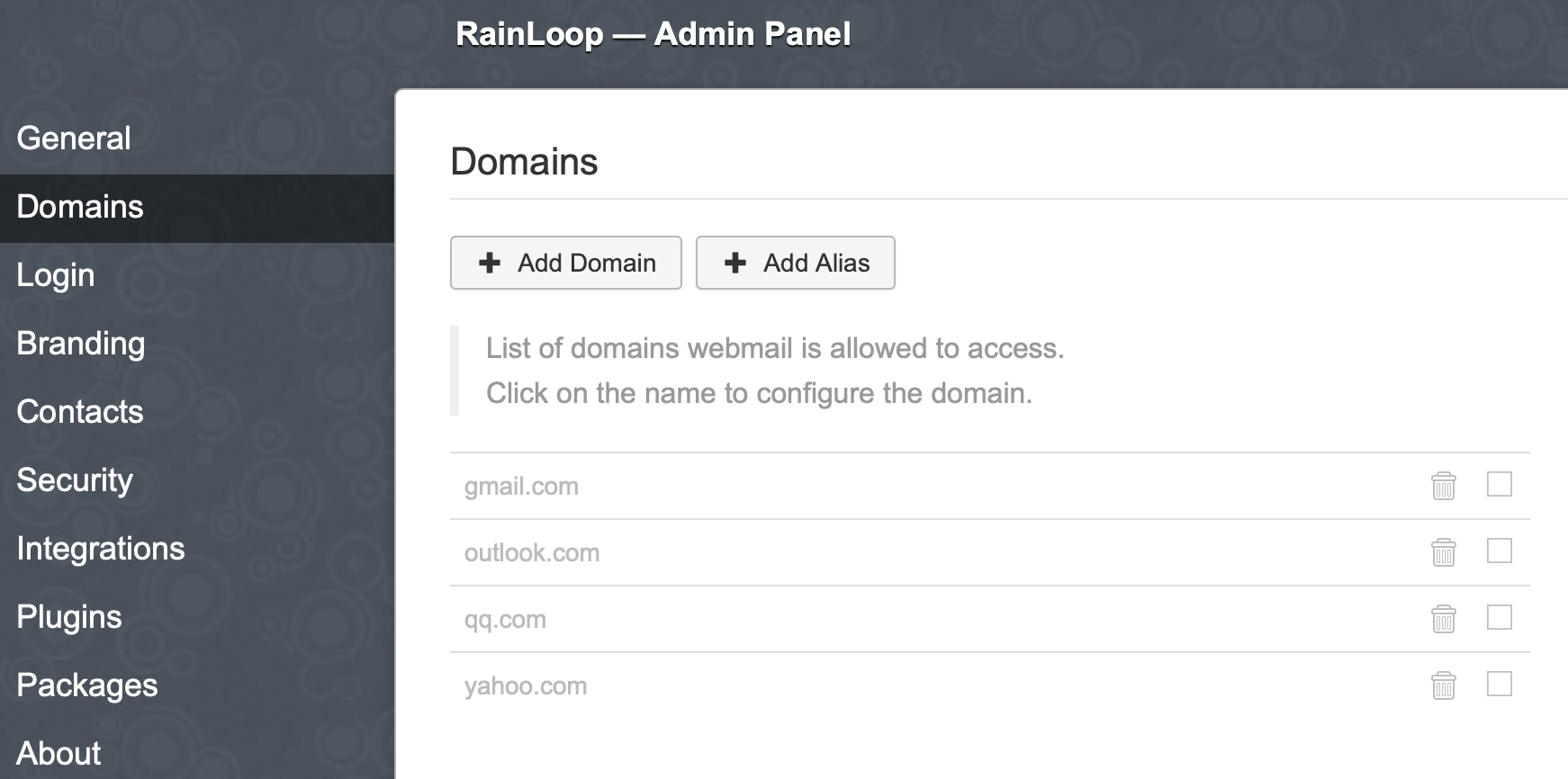
Add:
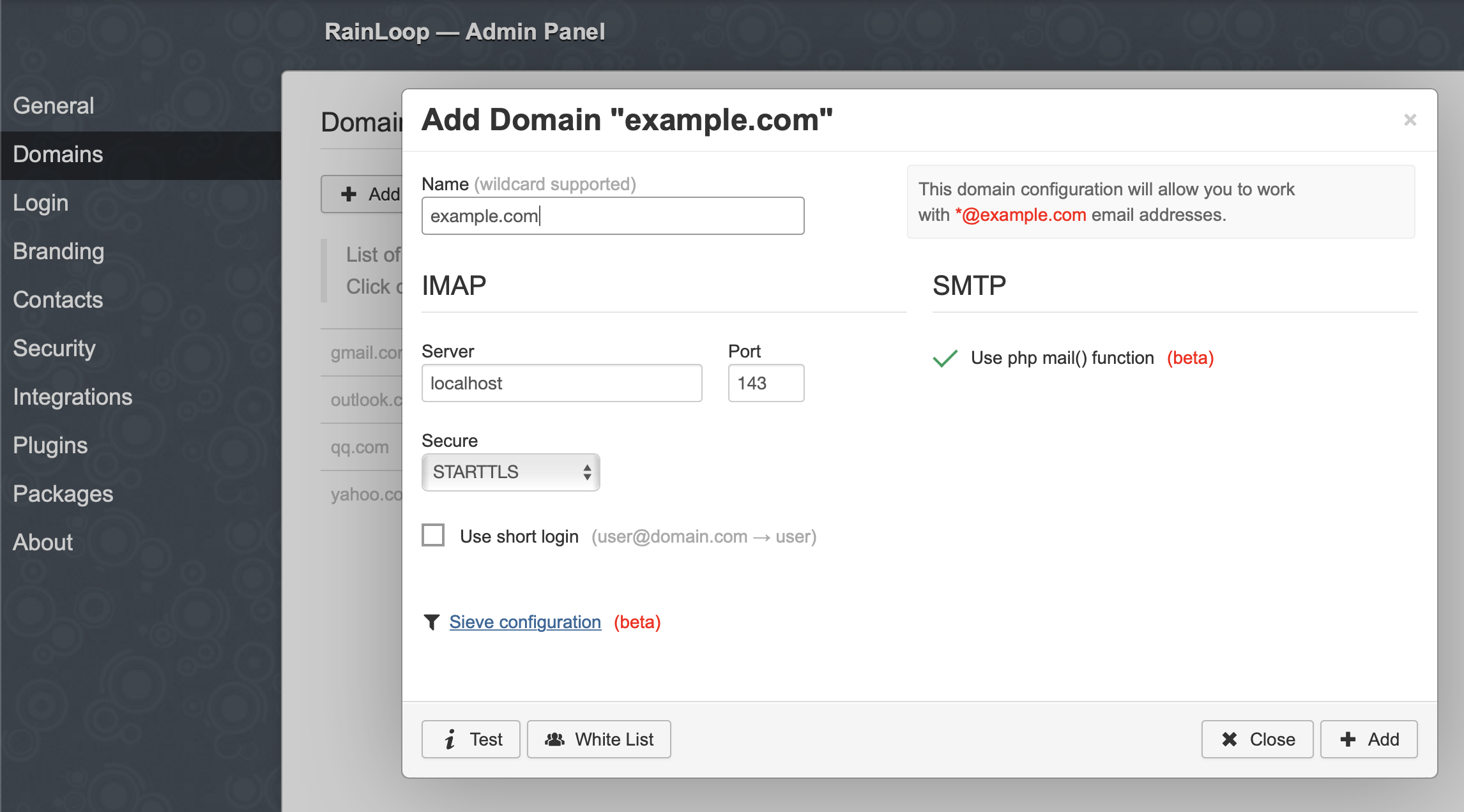
Login :
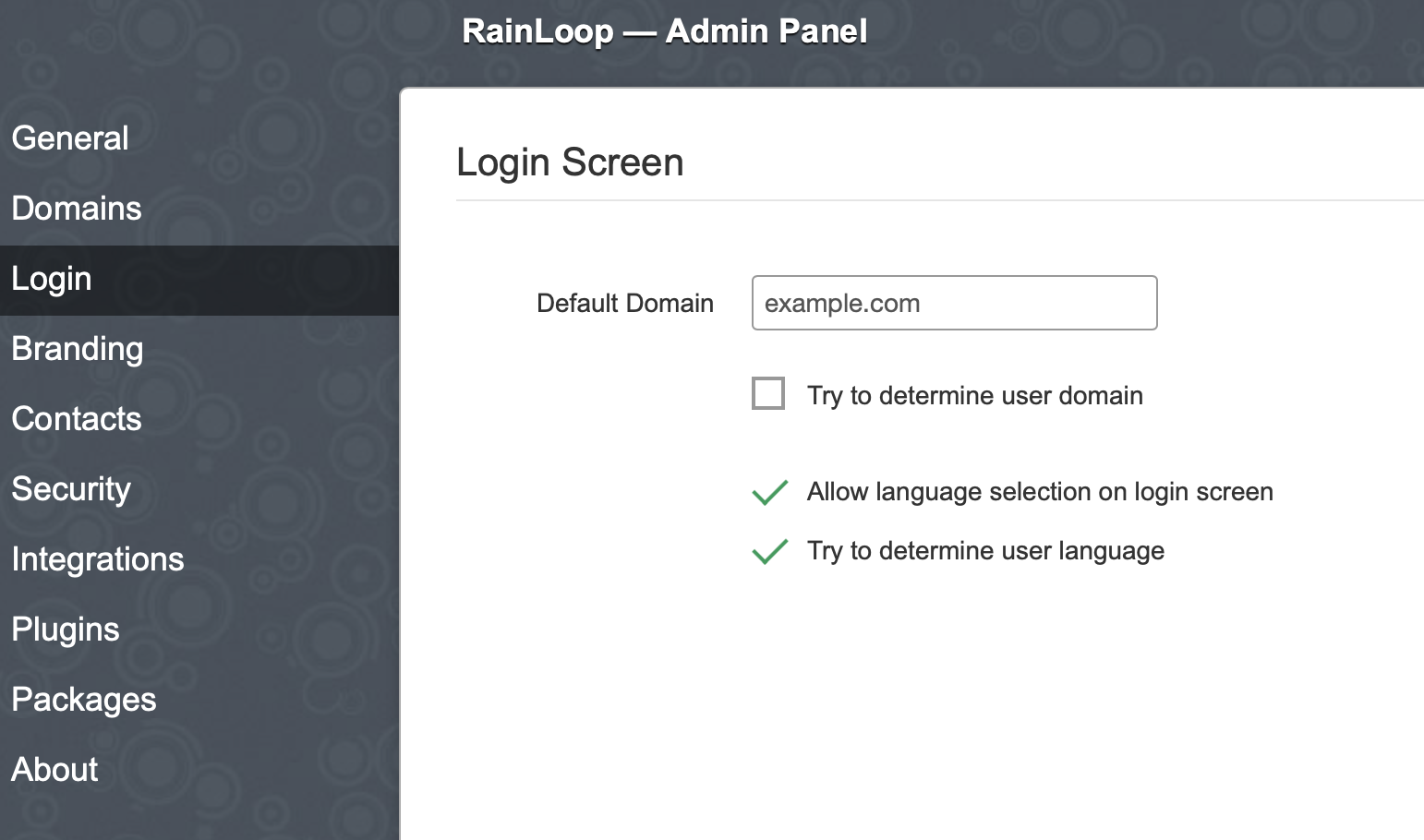
webmail https://mail.example.com
( @example.com):
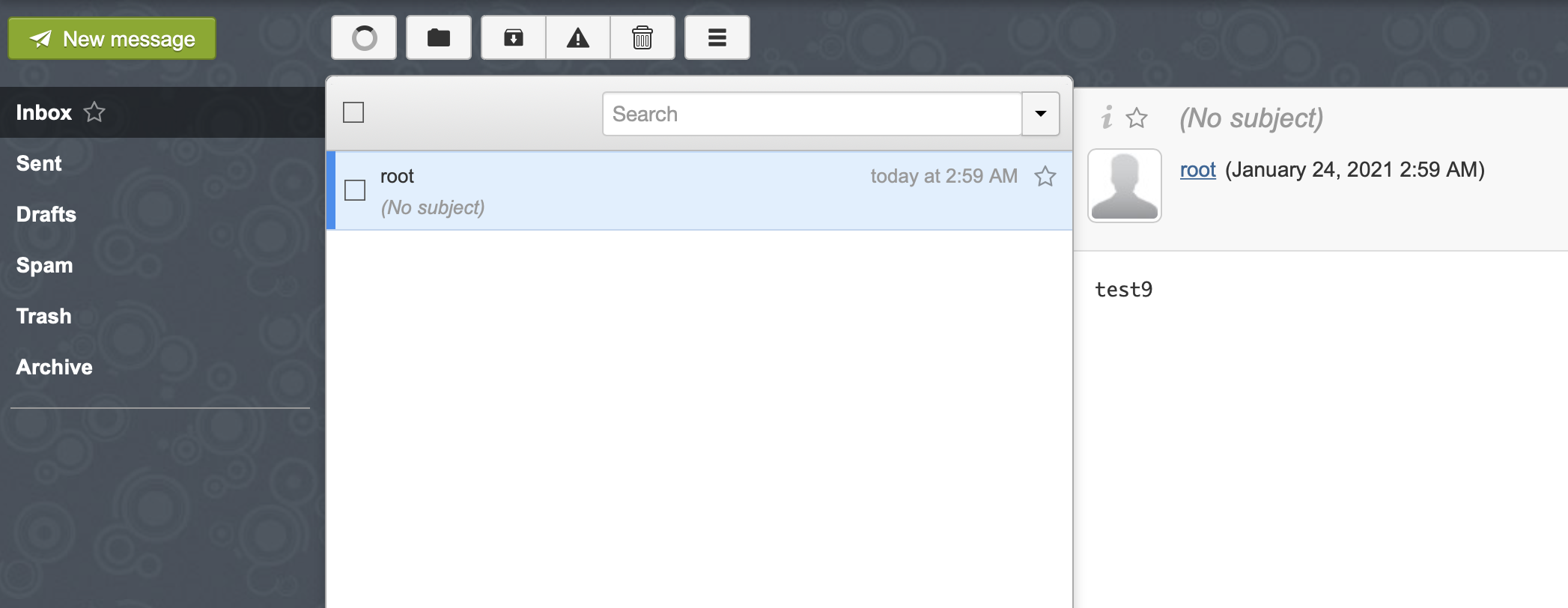
, , .
Apache /etc/apache2/apache2.conf
. -:
ServerSignature Off ServerTokens Prod
Apache service apache2 reload
.
phpPgAdmin
mail_server : alias, sharedmail_boxes, users. users. alias , shared_mailboxes . phpPgAdmin http://-ip--/phppgadmin postgres , .
, phpPgAdmin :
a2dissite lanhost service apache2 reload
, , 20 . : , . . . VPS, 25 , restic. ssh VPS .
RSA , Enter:
ssh-keygen -t rsa -b 4096
VPS:
cat ~/.ssh/id_rsa.pub | ssh root@192.168.77.1 "mkdir -p ~/.ssh && cat >> ~/.ssh/authorized_keys"
Restic
apt install restic
( VPS /mnt/mserv-bkp
):
restic -r sftp:192.168.77.1:/mnt/mserv-bkp init
, . , /root/.restic
:
export RESTIC_REPOSITORY="sftp:192.168.77.1:/mnt/mserv-bkp"
export RESTIC_PASSWORD=" "
:
source /root/.restic
:
restic backup /var/vmail
, - :
restic snapshots
, . /etc/root/restic
:
#!/bin/bash
source /root/.restic
restic backup /var/vmail
:
chmod +x /root/restic
/etc/crontab
:
0 1 * * * root /root/restic
.
Wie Sie sehen, kostet der Besitz eines eigenen Mailservers etwas Geld. Der Preis besteht aus der Bezahlung der Domainregistrierung, der VPS-Miete, der Bezahlung eines zweiten Anbieters zu Hause und letztendlich des Stroms. In meinem Fall liegt es für alles im Bereich von 950 ₽ pro Monat. Auf der anderen Seite werden ein Backup-Internetkanal und ein VPN für das gesamte Heimnetzwerk nützlich sein, aber wir werden das nächste Mal darüber sprechen.
Danke fürs Lesen. Kommentare, Fragen, Anmerkungen und Vorschläge sind willkommen!