Hallo Habr.
Einmal stieß ich auf eine Beschreibung einer Android-Anwendung, die die Herzfrequenz mit der Kamera des Telefons bestimmte, nur anhand des allgemeinen Bildes. Die Kamera wurde nicht auf den Finger angewendet, sie wurde nicht von der LED beleuchtet. Ein interessanter Punkt war, dass die Gutachter nicht an die Möglichkeit einer solchen Impulsbestimmung glaubten und der Antrag abgelehnt wurde. Ich weiß nicht, wie der Autor des Programms gelandet ist, aber es wurde interessant zu prüfen, ob dies möglich ist.
Für diejenigen, die daran interessiert sind, was passiert ist, die Fortsetzung unter dem Schnitt.
Natürlich werde ich keine Anwendung für Android erstellen, es ist viel einfacher, die Idee in Python zu testen.
Wir erhalten Daten von der Kamera
Zuerst müssen wir einen Stream von der Webcam bekommen, für den wir OpenCV verwenden werden. Der Code ist plattformübergreifend und kann sowohl unter Windows als auch unter Linux / OSX ausgeführt werden.
import cv2
import io
import time


cap = cv2.VideoCapture(0)
cap.set(cv2.CAP_PROP_FRAME_WIDTH, 1920)
cap.set(cv2.CAP_PROP_FRAME_HEIGHT, 1080)
cap.set(cv2.CAP_PROP_FPS, 30)

while(True):
    ret, frame = cap.read()

    # Our operations on the frame come here
    img = cv2.cvtColor(frame, cv2.COLOR_BGR2GRAY)

    # Display the frame
    cv2.imshow('Crop', crop_img)
    if cv2.waitKey(1) & 0xFF == ord('q'):
        break

cap.release()
cv2.destroyAllWindows()
Die Idee zur Bestimmung des Pulses besteht darin, dass sich der Hautton aufgrund des Blutflusses in den Gefäßen geringfügig ändert. Daher benötigen wir einen Ausschnitt des Bildes, der nur ein Fragment der Haut enthält.
x, y, w, h = 800, 500, 100, 100
crop_img = img[y:y + h, x:x + w]

cv2.imshow('Crop', crop_img)
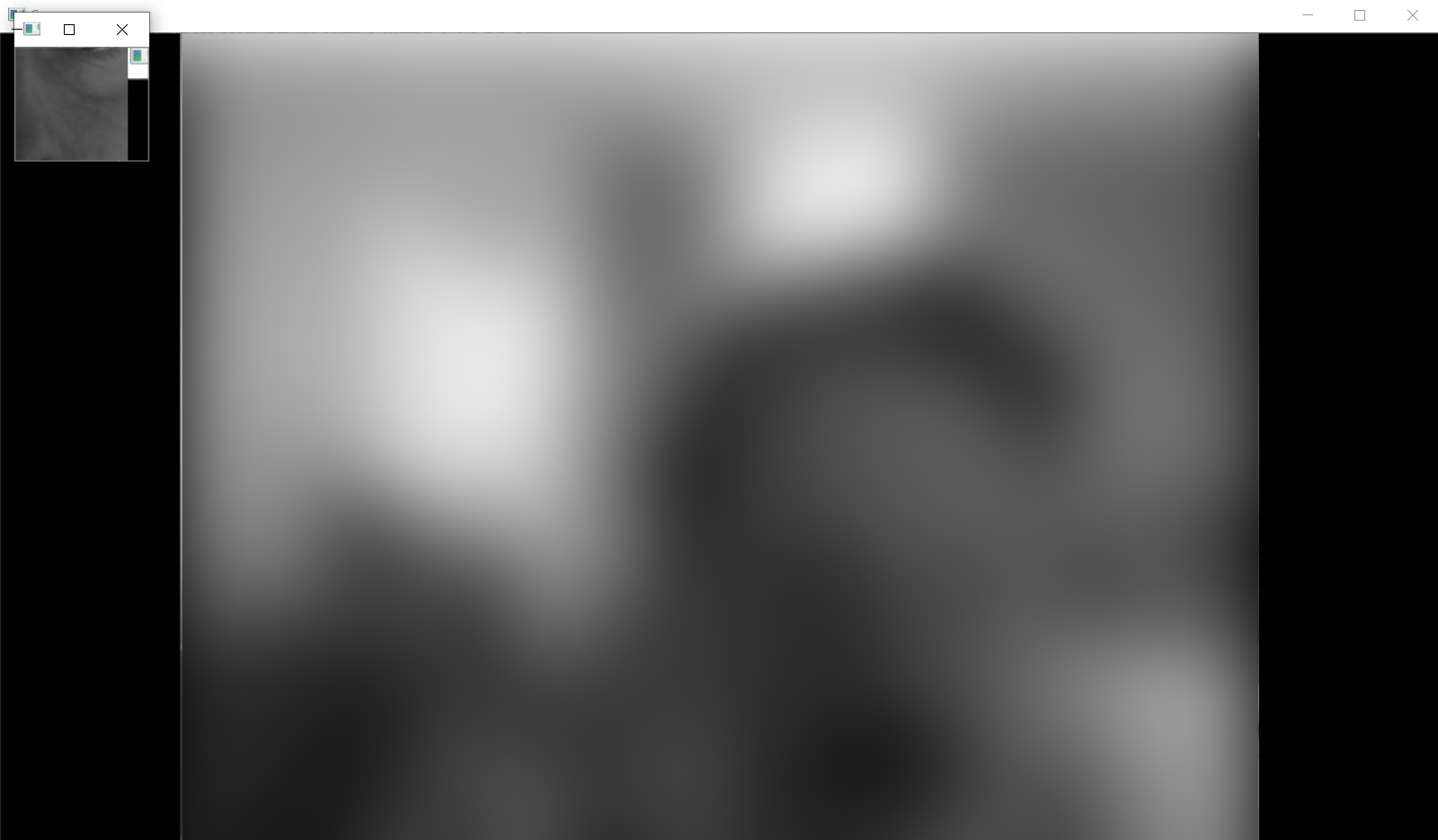
Wenn alles richtig gemacht wurde, sollten wir beim Starten des Programms so etwas von der Kamera (aus Datenschutzgründen unscharf) erhalten und zuschneiden:
Behandlung
, , . .
heartbeat_count = 128
heartbeat_values = [0]*heartbeat_count
heartbeat_times = [time.time()]*heartbeat_count

while True:
    ...
    # Update the list
    heartbeat_values = heartbeat_values[1:] + [np.average(crop_img)]
    heartbeat_times = heartbeat_times[1:] + [time.time()]
numpy.average , , .
:
fig = plt.figure()
ax = fig.add_subplot(111)
while(True):
    ...

    ax.plot(heartbeat_times, heartbeat_values)
    fig.canvas.draw()
    plot_img_np = np.fromstring(fig.canvas.tostring_rgb(), dtype=np.uint8, sep='')
    plot_img_np = plot_img_np.reshape(fig.canvas.get_width_height()[::-1] + (3,))
    plt.cla()

    cv2.imshow('Graph', plot_img_np)
: OpenCV numpy, matplotlib , numpy.fromstring.
.
, , , " ", - . - !
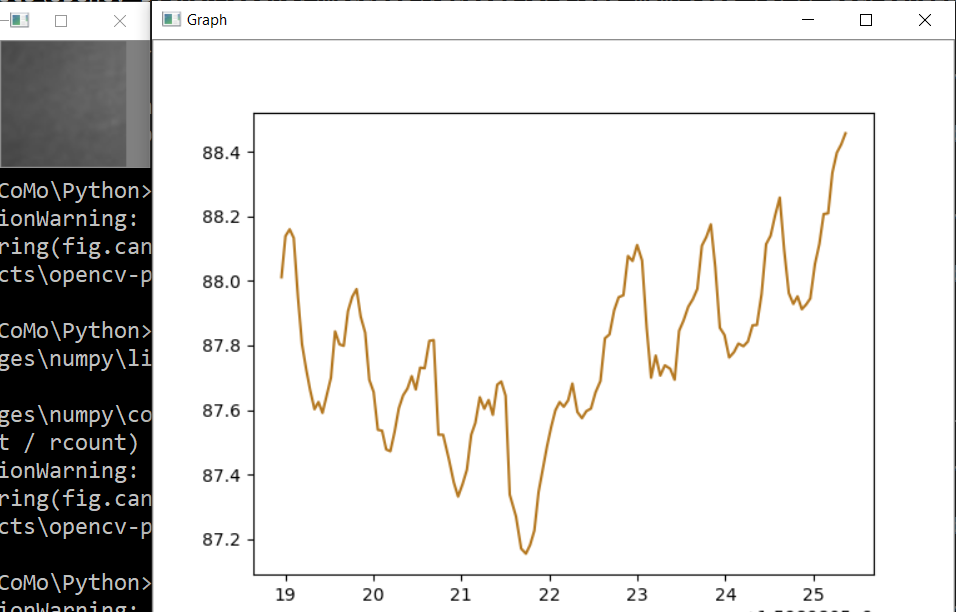
, , , . , ! , 0.5% , " ", . , , 75bpm. , :
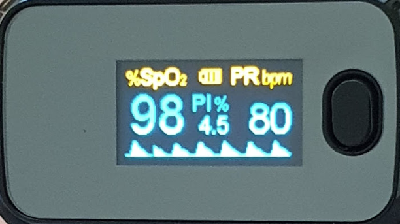
, .. , , .
, . , . , , OpenCV . , .
, - , ? , . cap = cv2.VideoCapture(0) cap = cv2.VideoCapture("video.mp4"), .
, .
Spoiler
import numpy as np
from matplotlib import pyplot as plt
import cv2
import io
import time

# Camera stream
cap = cv2.VideoCapture(0)
cap.set(cv2.CAP_PROP_FRAME_WIDTH, 1920)
cap.set(cv2.CAP_PROP_FRAME_HEIGHT, 1280)
cap.set(cv2.CAP_PROP_FPS, 30)
# Video stream (optional)
# cap = cv2.VideoCapture("videoplayback.mp4")

# Image crop
x, y, w, h = 800, 500, 100, 100
heartbeat_count = 128
heartbeat_values = [0]*heartbeat_count
heartbeat_times = [time.time()]*heartbeat_count

# Matplotlib graph surface
fig = plt.figure()
ax = fig.add_subplot(111)

while(True):
    # Capture frame-by-frame
    ret, frame = cap.read()

    # Our operations on the frame come here
    img = cv2.cvtColor(frame, cv2.COLOR_BGR2GRAY)
    crop_img = img[y:y + h, x:x + w]

    # Update the data
    heartbeat_values = heartbeat_values[1:] + [np.average(crop_img)]
    heartbeat_times = heartbeat_times[1:] + [time.time()]

    # Draw matplotlib graph to numpy array
    ax.plot(heartbeat_times, heartbeat_values)
    fig.canvas.draw()
    plot_img_np = np.fromstring(fig.canvas.tostring_rgb(), dtype=np.uint8, sep='')
    plot_img_np = plot_img_np.reshape(fig.canvas.get_width_height()[::-1] + (3,))
    plt.cla()

    # Display the frames
    cv2.imshow('Crop', crop_img)
    cv2.imshow('Graph', plot_img_np)
    if cv2.waitKey(1) & 0xFF == ord('q'):
        break

cap.release()
cv2.destroyAllWindows()
Und wie immer alle erfolgreichen Experimente